
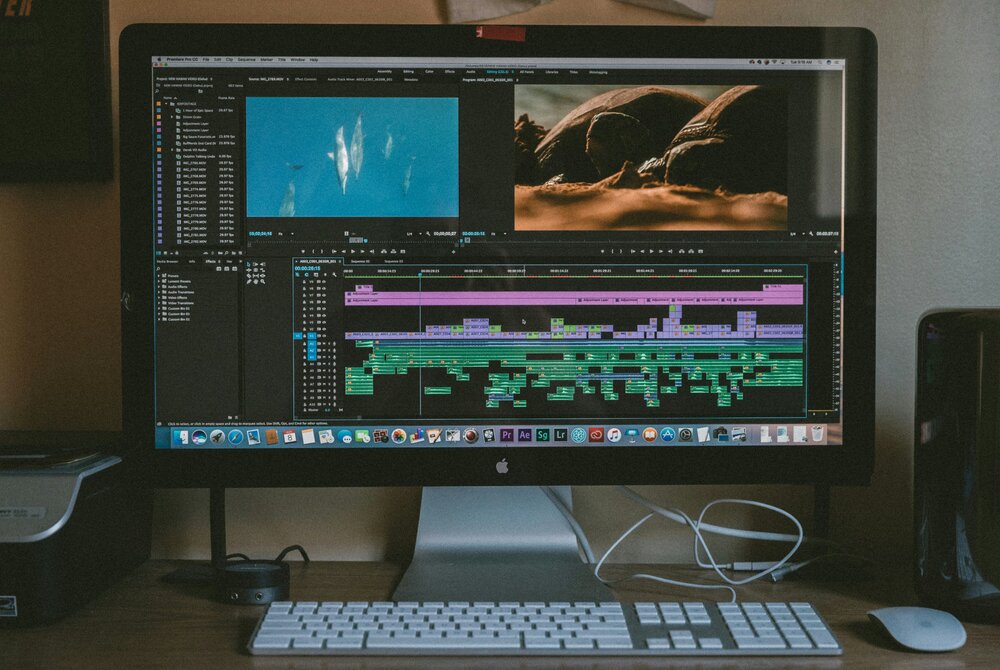
If combined with interesting graphics, stories and music, creative ideas can go a long way toward making them great videos.
From content creators and business owners to marketers and novices, video content can serve as an effective tool to convey your message and captivate your audience. The process of traditional video production may, however, take quite a bit of time, as well as some video editing skills and equipment. Luckily, existing AI technologies have made it simpler by changing text, photos, and scripts into interesting video material.
Understanding AI Video Generation
An AI video generator is a software tool that utilizes AI to generate videos from text descriptions, images, scripts or instructions. Users can type in a prompt capturing their creative vision; rather than doing this for every shot, users may enter a prompt that describes what they want to create. These details are then used to create video content in the software. They can be advantageous for social media content makers, enterprises, instructors, and anyone creating digital videos.
Start With a Clear Creative Idea
The key to a successful video is a solid concept. Before using an AI tool, come up with a message and an audience for the online video. Consider developing a product advertisement, an educational explanation, a travel scene or a short story. Write down the main idea and organize the important scenes. It’s more straightforward and easier to keep a consistent message when you have a clear plan.
Write Detailed and Effective Prompts
Prompts provide context on what you would like the AI system to generate. Add information on the subject, context, lighting, colours, camera movements, and camera style. For instance, rather than the phrase “beautiful garden,” make sure to include a peaceful scene set in a garden full of colorful flowers, the early morning light, and a subtle camera movement. An ai video generator may heed stricter instructions to produce visuals that are more aligned with what you envision.
Choose the Right Visual Style
Consider the visual style according to the purpose and the audience of your video. For product demonstration, a realistic scene may be appropriate, for the education of topics an animation can help to understand. While storytelling may benefit from a cinematic image, simple graphics can complement business presentations. Browse through the styles that are provided before creating your video. Using similar colors, lighting, and elements throughout the scenes will help keep them cohesive and create a more polished overall look.
Transform Images and Scripts Into Videos
Various AI platforms have capabilities to manipulate existing picture files or even type a story and convert it into an animated image. You can upload appropriate pictures, explain what motion you wish to have or give a script for a video idea. These become appreciated when existing brand imagery, product pictures or educational content is available. The AI video generator can assist you in creating more engaging content by providing more dynamic productions without having to create all the visuals from the ground up.
Add Music, Voiceovers, and Captions
Videos can be more informative and have fun with sound and text. The background music sets the scene of the action, voiceovers tell key facts to the viewer and move them through the story. Captions can be of use when viewers watch a video without sound, in addition to helping to better understand spoken information. Correct the choice of audio and ensure the balance between the parts is appropriate to their subject. Always use music and other media that you have permission to publish.
Edit and Improve Your Generated Video
It might be the first version to be created, so it might not be the best – so check it carefully before publishing! Look for the logical sequence of scenes and natural movement, transitions, and visuals. Cut away unnecessary footage, fix any textual errors, and fine-tune timing as needed. An AI video generator might make production speed a layer more quickly, but checking by a human is essential for accuracy, quality, and storytelling. Don’t worry about any of these little editing fixes because they take the video to the next level.
Share Videos Across Different Platforms
After your video is done, download it for the platform on which you plan to post it. Vertical videos perform best on TikTok and Instagram Reels, and YouTube Shorts, while horizontal videos do best on websites and longer content on YouTube. Utilise an interesting title, description and appropriate image. The ai video generator simplifies the way to experiment with various video content approaches and adjust innovative concepts for various groups of users.
FAQs
What is an AI video generator?
It’s an AI-powered video generator that can produce videos from text, images, scripts or other provided content.
Can beginners create videos with AI?
Yes. There are many AI platforms available that offer user-friendly interfaces and pre-designed features that even beginners can use to produce videos without expertise in video editing.
Can I create videos from images?
Yes. Many tools also offer image-to-video options that animate still images and make them into moving images.
How to improve AI-generated video?
Create and edit prompts, choose appropriate visual styles, preview generated scenes and edit in depth before publishing.
Can AI-generated videos be used commercially?
Some tools are available for commercial use, with permission varying. Please read the platform terms of use and the rights of images, music and other content uploaded.
Conclusion
AI video technology enables easy and accessible video production for creativity. Anybody can create great material if they follow the roadmap carefully, including having clear notions, specific prompts, appropriate images, and edited copy. Try different styles, enhance scenes, and create videos for the appropriate media. By leveraging AI capabilities in conjunction with storytelling, the production of impactful videos that capture interest and convey ideas effectively can be produced.