If the lookbook is already approved, lighting and styling included, there may only be a small amount of footage needed for the grid/summary or retail page. The garment would still need to be readable.
Although if the task is a small clip using the approved stills we have already taken we do not necessarily need to reshoot. We could either reshoot or simply edit the existing photos. If the garment needs to be shown alive in a walk through, or to show how the garment is put together then photography is the best option.
However, only add motion if this will help make it more readable. This should be compared to the original photo which has already been approved.
Sort the stills before anyone asks for motion
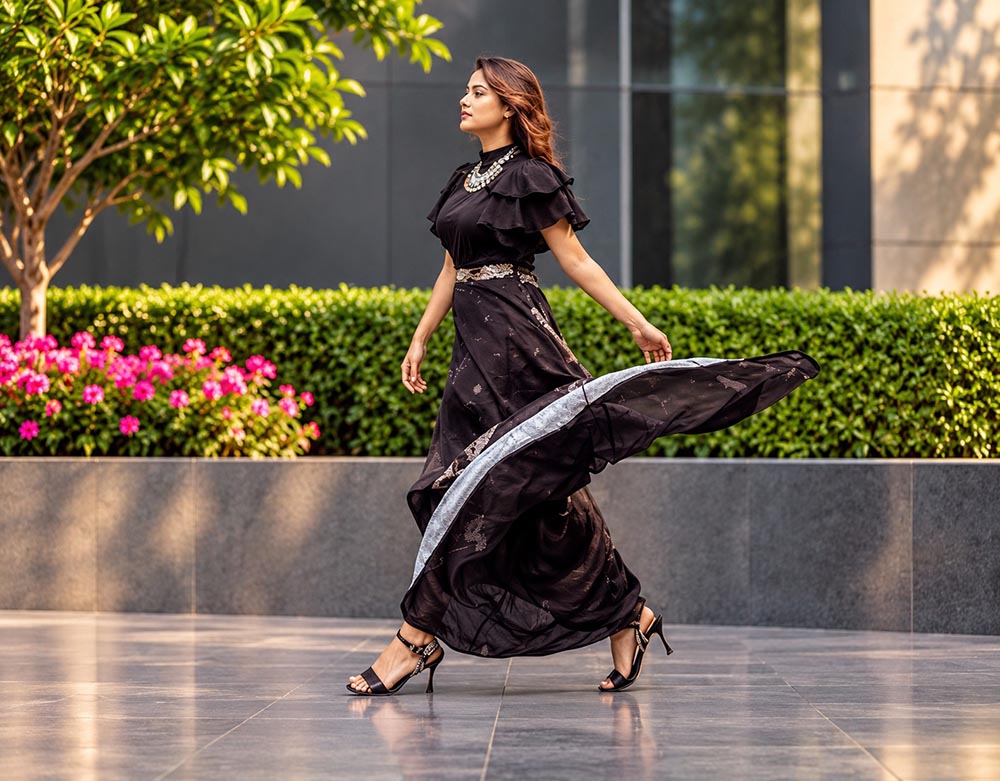
Often a quick check will do here. If the photo is a ‘good’ one to go from then you have a full piece of clothing with a clear outline (full length or 3/4 length shot) or good fabric shots showing the fabric hang or texture. A small movement or slight fabric movement can be added if the neckline, hemline and fabric hanging can be identified.
Ensure you keep the static if there are lots of words, logos in a specific place, or if the embroidery has been chosen because it repeats. Likewise if the shot requires a specific hand, clasp or built detail which would need to be made up in a generated clip. As long as the static doesn’t fit into this category then you have your usable asset!
Motion has to serve the garment
When you’re ready to animate your still, provide instructions on how to animate your garment. Each platform (MixVio, Runway, Luma, Pika) will have different interfaces, features and pricing. Often the same still is animated multiple times.
The process to create short motion from lookbook stills will include uploading your lookbook or runway frame that your team owns or have permission to animate, describing how you want the camera and fabric to move, selecting your format & model, checking the credits quote and downloading your MP4. This is generally the same across all platforms.
Before animating your clip, ensure you’ve checked:
1. Silhouette
Ensure your shoulders, waist, hemline and drape of your skirt/coat remain consistent throughout. If there is any extra volume added or a new flare to the hem, reject the clip. However, if your skirt is moving as part of an approved walk this is okay.
2. Texture & Prints
Check that your weave, shine, checks, florals and beading looks good. If there’s any blurring of the grain, prints crawling or embroidery becoming soft. Ensure your motif is in exactly the right place.
3. Static Elements
Make sure your logos, text, key jewellery, clear collar and anything that was selected in your still remains visible. If your subject is becoming blurred, text is too small or your brand details aren’t precise they may become distorted.
Ensure your camera movement is minimal. Usually a slow zoom in, short animation of an approved walk or gentle fabric movement will be sufficient. A good prompt would be “slow push-in, fabric and hair in light wind.” Don’t add any text, logos or additional outfits. This is a guideline to help you review your clip. There is no guarantee it will be composed or coloured correctly.
After the first time it is appropriate to move a still, write down the few words against the clothing, not against this catalog of effects. There are several PhotoPhase tools, such as Runway, MixVio, Luma and Pika and each specializing in slightly different ways, with their own UI, and different costs. They are repeatedly used and reset by teams, as they attempt the same still more than once.
A 10-second plan is an edit, not a model promise
A 10 second finished video is great for a recap or looping through a grid. It acts as a guide for your editing. Not all models will give you a 2, 6 and 2 split. Choose a time that works with your model and check the quote on the credit.
Most public image to video tools will give you between 3-15 seconds. Some have even shorter options. Some models (like Seedance 2.5) have up to 4-30 second takes. If you cannot get 10 seconds from your tool, you can create a 10 second recap. Simply use a shorter take and add extra in your editing. Or shorten a longer take. Don’t assume the model will give the same amount as your final edit.
Cut it this way:
- Hold the approved still for 2 seconds to allow the outline and print to be seen.
- Use a small section of reviewed movement for around 6 seconds. If the whole isn’t useful then chop it down. Don’t do anything else.
- Hold the final frame (that still fits with the photograph) for around 2 seconds or go back to the still.
This can be created in the editing tool by holding frames and cutting together the clips in order. This is not controlled in the generator, and there is no guarantee that the models will provide the exact 10 seconds.
Pick your format. 9:16, 16:9 and 1:1 are common in public tools. Check the quote for credits. These vary depending on the model, length of video and resolution. For example, on MixVio’s image to video page a 5 second 480p video on Seedance 2.0 costs 16 credits. However, this can’t be compared to Runway, Luma or Pika as they have their own pricing. It’s just showing you how to check the quote. A 10 second fashion video would cost more.
The failed run policies vary across platforms. Check what they are. If your first run isn’t quite right, and you want to try again, you can try another model using the same still.
Write the rejection tests before the take
Clip Review
You will want to review the start, middle and end frame to ensure they match the approved still. If there have been any issues such as incorrect shapes/silhouettes, movement/absence of print or scratch effect, smudging within logos, lines of text or jewellery (that needs to be readable), incorrect face/hair, addition of clothing/text that wasn’t within the still, or the colours are more exaggerated then you will need to reject this clip. Edge cases will depend on individual judgement.
Commercial Use
Depending on the platform and plan, Mixvio paid outputs can be used commercially, however you will need to adhere to the Terms of Service and individual guidelines of the model providers. Free plan outputs should only be used for testing. Runway, Luma and Pika all have their own licence agreements so make sure to read these first. You will always need to ensure that your team owns or have permission to animate the reference image, alongside having the rights to all faces, brands and prompts within. If you plan to publish onto an advertising platform, make sure to check if they require you to disclose any AI generated content.
Leave the lookbook with a decision, not a default clip
If you have a lookbook sign off, but the look contains typographic elements, logos, repeating embroidery, structure in the neckline or jewellery then you’ll need to keep the photo. If the photo doesn’t have a sign off (or the brief needs a real walk, or a structure shot or a length that has limited chance of being achieved) then you will need to send the look back for reshoot or just editing.
If you are creating a short motion look, make sure that the structure, print or beading and any fixed elements halfway through and at the end of the take match the still. Only create the motion if they do. This doesn’t include generators.