
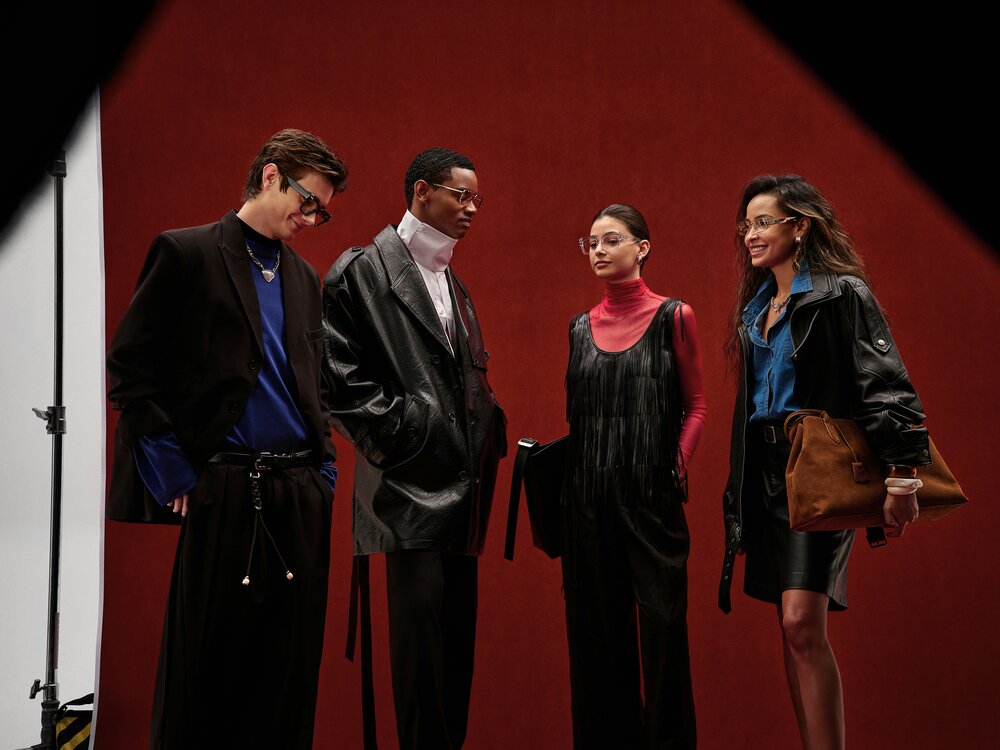
Fashion runs on a constant flow of content.
A single collection can need a lookbook, a campaign film, product page videos, and dozens of vertical clips for TikTok and Instagram Reels. Each of those used to mean another shoot day, with models, stylists, a photographer, a location, and an edit.
For large houses, that cost is part of the business. For emerging designers and growing labels, it is often the biggest barrier to looking as polished as the brands they compete with. AI video platforms such as Seedance 3.0 are starting to close that gap by letting brands build moving content from images they already own, including flat lays, studio shots, sketches, and mood boards.
The platform gives creators access to the Seedance family of video models, first developed by ByteDance. Its Seedance 3.0 AI Video Generator workspace can create a single 30-second clip in up to native 4K. It can also take up to 50 reference files at once: 30 images, 10 videos, and 10 audio files.
For fashion, those three numbers solve three very specific problems.
Why Detail Matters More in Fashion Than Anywhere Else
Fashion audiences look closely. They zoom in on fabric weave, the drape of a sleeve, the shine of hardware, and the print on a label. Low-resolution video flattens all of that and makes a premium piece look cheap.
Native 4K output keeps texture visible. Knitwear reads as knitwear. Silk shows its movement. Leather keeps its grain. For brands that sell on craftsmanship, this is the difference between a clip that supports the product and one that undermines it.
A sensible approach is to test ideas at 720p and only render the final approved version in 4K.
Keeping the Same Look Across Every Shot
The hardest part of any fashion campaign is consistency. The same garment must look identical from the opening frame to the last. The same model must stay recognizable. The lighting and mood must hold across the whole series.
A large reference stack makes this much easier. Instead of one crowded image, you can give each element its own group of references:
- Garment references. Front, back, side, and close-up detail shots of each look.
- Model references. Approved images of the model or digital avatar.
- Location references. Photos of the set, street, or studio you want to suggest.
- Lighting and mood references. Frames from past campaigns or a seasonal mood board.
- Movement and sound references. A short walk-cycle clip or a music track to set the pace.
When you repeat each garment’s key details in the prompt, related shots read as one collection rather than a set of unrelated clips.
Six Ways Fashion Brands Can Use It
- Digital Lookbooks
Turn a static lookbook into a series of short clips. Each look can turn, walk, or move through a setting that matches the collection’s story. - Campaign Pre-Visualization
Before booking a shoot, test locations, camera paths, and the closing frame. The platform supports 3D spatial pre-visualization and camera blocking, so the creative team can agree on the concept over moving footage rather than a slide deck. - Vertical Hooks for Social Media
The first two seconds decide whether someone keeps watching. A transformation, a fabric reveal, or a music-led cut can be built in 9:16 for TikTok, Reels, and Shorts. - Product Page Videos
E-commerce shoppers want to see how a piece moves before they buy it. Short clips built from approved product photos can show drape, fit, and detail on the product page. - Music-Led Mood Films
An audio reference can set the timing while images define the model, the clothes, and the location. This suits runway-inspired films and brand mood pieces. - Seasonal Variants
The six fixed aspect ratios (16:9, 9:16, 1:1, 4:3, 3:4, and 21:9) let one concept become a website banner, a feed post, and a vertical story without starting again.
How to Build a 30-Second Lookbook Clip
A clear plan saves time and credits. This simple order works well for a single look.
- Decide where it will be published. A product page needs a calm, clear clip. A TikTok hook needs fast movement in the first seconds.
- Split the 30 seconds into three parts. Use roughly the first 10 seconds to set the scene, the middle 10 to show the garment in motion, and the final 10 for a close-up and closing frame.
- Load your references with one job each. Keep garment, model, location, and lighting images separate.
- Write the scene in order. Describe the subject, setting, action, camera, and light.
- Refine one thing at a time. If the sleeve looks wrong, adjust the garment reference rather than rewriting the whole prompt.
If you already have footage from a past shoot, you can load short clips as video references. They help the model match the movement and pacing of your earlier campaign.
Rights, Models, and Honesty
Fashion has a long history of disputes over images, likeness, and copying, so AI content needs the same care as a traditional shoot.
- Use only approved faces. If your references include a real model, make sure you have their consent for AI use. The workspace offers a dedicated Real mode for references with real human faces, as well as a built-in avatar library as an alternative.
- Do not borrow another brand’s identity. Logos, signature prints, and recognizable designs from other labels should stay out of your references.
- Choose a plan with commercial rights. The Starter Pack does not include a commercial license, so check that your plan covers commercial use before you publish campaign content.
- Be open with your audience. Many shoppers are comfortable with AI visuals, but they expect honesty about what is real and what is generated.
The Bottom Line
AI video will not replace the energy of a live runway or the eye of a great fashion photographer. What it does is remove a large part of the cost and delay between a collection and the content it needs. For emerging designers, that can mean campaign-quality video on a small budget. For established brands, it means faster testing and more formats from the same creative work.
The brands that get the best results will treat it like any other production tool. They will start with strong references, keep garments consistent, respect the people in their images, and let human taste make the final call.