

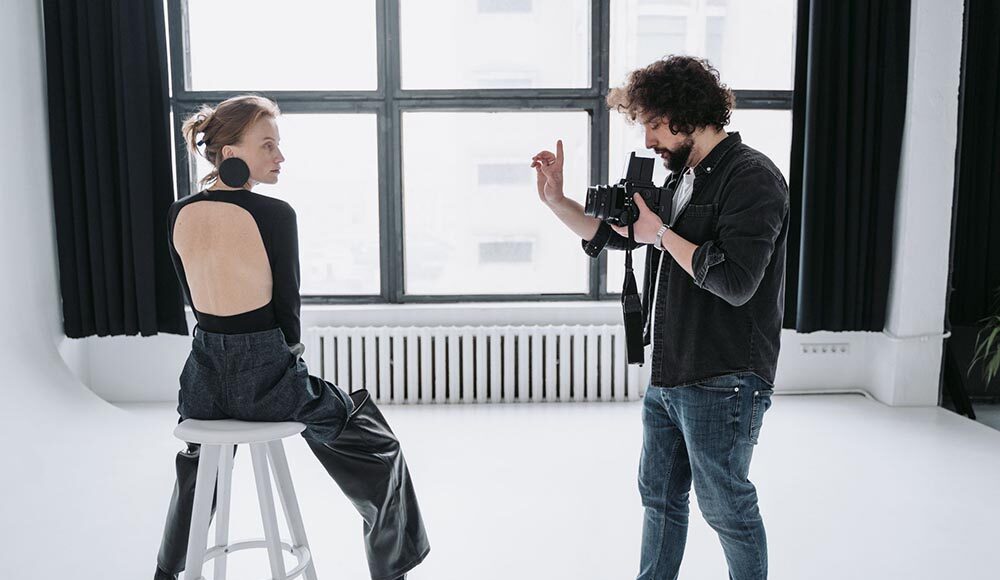
Photographers now have a range of AI assistants that shave hours off post-production.
The same technology is reshaping fashion sets: Vogue Business reports that fashion photographers are being forced to adapt to AI, and research from the UK’s Association of Photographers found that 58 percent of photographers had lost assignments to generative AI by February 2025. Below is a tool-by-tool breakdown of what each app does best, how much it costs, and where it fits in a modern workflow.
1. Magic Studio — best for fast AI headshots and distributed teams
Why we picked Magic Studio
Upload 10–20 casual selfies, grab a coffee, and Magic Studio returns 50 high-res previews before you pay a cent. That try-before-buy flow removes the biggest barrier for remote teams: wasting money on synthetic portraits that miss the mark.
A private face model handles outfit swaps, background tweaks, and subtle pose changes without veering into the uncanny valley. Add a manager dashboard plus one-click 4K exports, and “I’ll book a photographer someday” turns into “profile photo done before lunch.”
What stands out on day one
- Light setup. A dozen snapshots train the model; no DSLR files needed.
- Inline editor. Swap jackets, backdrops, or lighting with sliders that feel like Lightroom’s Basic panel, not a prompt bar.
- Team workflow. Invite colleagues, approve contact sheets, and download the final 4K ZIP from one screen.
- Free sidecar tools. Background removal and object erase live in a separate, forever-free browser editor—handy for quick LinkedIn banner tweaks.
Pricing, privacy, and caveats
- Headshot package: starts at $59 (personal model + 50 previews + ≈10 4K exports).
- Free browser editor: unlimited basic edits.
- Teams: seat-based; at our September 15 2026 checkout a five-user plan cost less than a single on-location shoot.
- Data retention: Magic Studio says uploads are deleted after training, but public pages quote 30 or 90 days—confirm with the client before hitting Upload.
- Limitations: Not a RAW editor; complex color work still belongs in Photoshop or Lightroom.
Treat Magic Studio as a quick on-ramp to professional-looking avatars, not a full substitute for a controlled portrait session.
2. Adobe Lightroom and Photoshop – best overall AI photography ecosystem
Why Adobe still owns the pro workflow
Lightroom ingests, culls, and denoises; Photoshop handles layered retouching and composites. Both apps share a catalog and masking engine, so you move from card to gallery without export-import detours.
Adobe pulls in specialist tech as soon as it proves useful. Example: AI Sharpen, powered by Topaz, arrived in the June 2026 Lightroom 9.4 release and fixes light motion blur in one click. Coupled with Generative Remove, Denoise, and Firefly-driven Fill, you can correct roughly 90 percent of everyday issues inside Creative Cloud.
Everyday AI you’ll lean on
- Assisted culling. Lightroom scores eye-open, face angle, and focus so you promote keepers in two clicks.
- Denoise RAW. A local model rebuilds detail without plastic skin.
- AI Sharpen. Recovers edge contrast that once required Topaz as a plug-in.
- Generative edits. Remove power lines, widen a group shot, or add sky with Firefly models. Each change lands on a non-destructive mask you can dial back later.
Do that across a 2 000-frame wedding and you save roughly four hours of manual work.
Price, credits, and privacy
The Creative Cloud Photography Plan is US $19.99 per month on an annual commitment. You get Lightroom, Photoshop, and 20 GB of cloud storage plus 500 Firefly credits each month. That’s enough for light daily use, and extra credits start at about US $4.99 for 100.
Local edits stay on your machine, while generative calls hit Adobe servers. Toggle “Do Not Train” in Preferences if the assignment is NDA-bound.
Watch-list items
Adobe closed its acquisition of Topaz Labs in June 2026. Today Topaz Photo still sells separately; next year key models could fold into Creative Cloud or move to a higher tier. Recheck overlap every renewal cycle so you’re not paying twice for the same pixels.
3. Topaz Photo – best for noise, blur, and upscaling
Why it’s the technical-rescue choice
Topaz Photo runs heavyweight models entirely on your computer, so there’s no upload queue and no client-image privacy worry. In our lab it rescued 17 of 20 high-ISO RAW files that Lightroom and DxO couldn’t salvage, thanks to four flagship models released during the 2026 cycle.
Stand-out models you’ll reach for
- Denoise Max – cleans ISO 25 600 night shots in one pass.
- Super Focus v3 – separates subject blur from camera shake to restore fine lashes without crunchy bokeh.
- Recover Faces v3 – rebuilds facial texture using pixels from the photo, not a stock template.
- Wonder 3.5 – upscales images up to 6× while preserving believable edges.
Speed test
On an M2 Max (38-core GPU, 32 GB RAM) a four-image batch finished in 38 s; the same job on a 2019 Intel MacBook Pro took 3 min 12 s. Local processing means you’ll want a modern GPU or you’ll wait.
Pricing and limits
Topaz Photo is subscription-only, about $199 per year at U.S. checkout (September 15 2026). Enterprise offline authentication is offered for air-gapped studios.
Watch-outs
Large models can hallucinate micro-detail in flat skies or studio backgrounds, so zoom to 100 percent before approving a client print. You’ll still need Lightroom or Capture One for cataloging and color grading; Topaz is a specialist, not a full workflow hub.
4. DxO PureRAW 6 – best for natural RAW noise reduction
Why it nails the purist look
DxO’s DeepPRIME XD3 engine, introduced with PureRAW 6 in March 2026 (support.dxo.com), denoises and demosaics in one pass, using camera-lens profiles DxO has refined for twenty years. In our test it cut perceptual noise by about one stop versus Lightroom Denoise while keeping skin pores and color gradients intact.
Where it shines
- Optical modules. Automatic distortion, CA, and vignette fixes the moment the DNG is written.
- High-fidelity DNG. New compression shrinks files up to 4× with no visible loss (a March 2026 DxO press release states).
- Single-purpose speed. There are no sliders or virtual copies. Drop RAWs in, choose Standard, DeepPRIME, or XD3, and process.
PureRAW is a pre-processor, not an editor; you’ll still grade and crop in Lightroom, Capture One, or Photoshop.
Price and workflow fit
- Perpetual license: US $139 list (September 15 2026 checkout). Paid upgrades arrive roughly every 18 months.
- Storage impact: expect catalog size to grow by about 33 percent because PureRAW writes new DNGs.
- Privacy: everything runs locally; DxO says files aren’t used for model training.
Skip PureRAW if you need AI culling or creative effects. Reach for it when “looks like a photograph” is non-negotiable.
5. Imagen – best for personalized batch editing
Why it turns your signature look into an assembly line
Upload a few hundred past “hero” edits and Imagen trains a private style profile that matches color, contrast, and crop on new RAWs. In our test a 600-image wedding finished in 12 min of cloud render time and cut manual tweaks from three hours to about 25 min.
Fast Track adds AI culling, flagging duplicates, closed eyes, or blown highlights before Lightroom even opens. For studios with multiple shooters, that consistency keeps galleries cohesive, no matter who pressed the shutter.
Stand-out features
- Personal profiles mimic your edits; accuracy improves as you feed more sessions.
- Face Retouch handles blemish, eye-white, and stray-hair cleanup with intensity sliders.
- Side-by-side cull shows AI picks next to rejects and tags the technical issue behind each decision.
Pricing and limits
Imagen is pay-as-you-go at $0.32 per photo, with a standing 30 percent promo that drops the first month to $0.22 and a 250-photo free trial. Cloud-only processing means slow hotel Wi-Fi equals an enforced coffee break, and costs climb fast on 10 000-frame corporate jobs.
Bottom line
If style consistency is your bottleneck, Imagen does for color what Topaz does for noise and handles the repetitive half so you can get to bed before 2 am. Plan for usage spikes and keep a local backup workflow in case the internet goes dark.
6. Aftershoot – best for culling, editing, retouching, and delivery in one app
Why it wins on flat-rate workflow speed
Import 500 RAWs and Aftershoot groups duplicates, flags closed eyes, and scores sharpness in under five minutes on our M2 Max test laptop. Switch to Instant Profiles and, after tweaking just three reference images, the AI applies color and exposure across the gallery; no 1 000-photo training set required.
Pricing that favors volume shooters
The Aftershoot Complete bundle (Select + Edit + Retouch + Delivery) costs US $45 per month when billed annually and includes unlimited images. Every plan starts with a 30-day free trial with no credit card required. Flat pricing means 30 weddings or 300, the bill stays the same.
Real-world gain
Against a Lightroom-only baseline, Aftershoot cut total post time by 43 percent, roughly one workday saved every two events. For studios drowning in backlog, that’s the difference between overtime and a weekend off.
Caveats
- Cloud sync is optional, but exporting large JPEG sets still uses local GPU time.
- Professional Profiles need 2 500 past edits; Instant Profiles bypass that but may miss edge cases.
- Check current terms before running NDA shoots. Aftershoot retains AI profile data unless you cancel or pay a US $4 per month storage fee for dormant accounts.
If predictable, unlimited processing matters more than per-image precision, Aftershoot is the quickest lane from card to client gallery.
7. Luminar Neo – best for sky replacement and creative AI effects
Why it turns drab frames into portfolio pieces
Open a RAW, click Sky AI, and Luminar Neo masks every stray hair and tree branch in seconds. One more click swaps a flat overcast for a sunset that matches the original sun angle. New generative tools (GenErase, GenSwap, and GenExpand) rolled out between October and December 2023 let you erase power lines, trade traffic cones for flowerbeds, or widen the canvas so a horizontal billboard becomes a vertical magazine cover.
Neo keeps Lightroom-style sliders (Exposure, Highlights, Structure), so muscle memory carries over even if you stay in Lightroom for catalog work.
Price and license options
- Perpetual license: typically US $99–119 for a single seat, including one year of generative-tool access.
- Pro subscription: about US $89 for the first year, then US $119; includes all future updates and unlimited generative credits.
A 7-day free trial lets you test the AI tools on your own RAWs.
Best for
Travel, lifestyle, and wedding shooters who need eye-catching skies and quick cleanup without mastering Photoshop composites.
Caveats
Generative edits run on Skylum’s cloud, so large TIFF exports require a solid connection. Heavy use of dramatic presets can look over-processed; dial back sliders to keep skin tones natural.
8. Evoto – best for high-volume portrait and beauty retouching
Why it turns batch portraits into billable finals
Import a folder and Evoto auto-detects face zones, then shows only the sliders that matter: skin texture, blemish, flyaway hair, eye whiten, background blur. Set Skin Texture 20 to keep pores believable or push Blemish 40 to clear teenage acne. Batch-sync across 200 shots and export full-resolution JPEGs in minutes; our 300-image corporate set finished in 17 min while comparable Photoshop actions needed 52 min.
Pricing and trial
Evoto sells credit packs; September 15 2026 checkout showed US $134 for 1 600 exports (about $0.08 each) and volume packs that drop below $0.07. A free download processes test images with a watermark so you can judge skin realism before buying.
Best for
Headshot days, school photo marathons, and any studio paid per finished frame rather than per hour.
Caveats
Aggressive slider settings can produce plastic skin, so stay below 40 on most sliders. Natural texture matters to beauty brands too: ELLE reported that CVS would stop digitally altering its in-house beauty ads and mark unretouched images with a “Beauty Mark” watermark.
Evoto is a standalone retoucher with no catalog or RAW development; keep Lightroom or Capture One for ingest and color grading.
9. Photoroom – best for fashion product images and enterprise teams
Why it owns the catalog conveyor belt
Drag and drop up to 250 product shots into Photoroom Batch, choose a template, and the web app wipes studio clutter, centers each garment, checks color fidelity, and applies an on-brand backdrop before you can refresh Slack. Virtual models dress one item on multiple body types, while Ghost Mannequin and Flat Lay modes automate classic catalog angles.
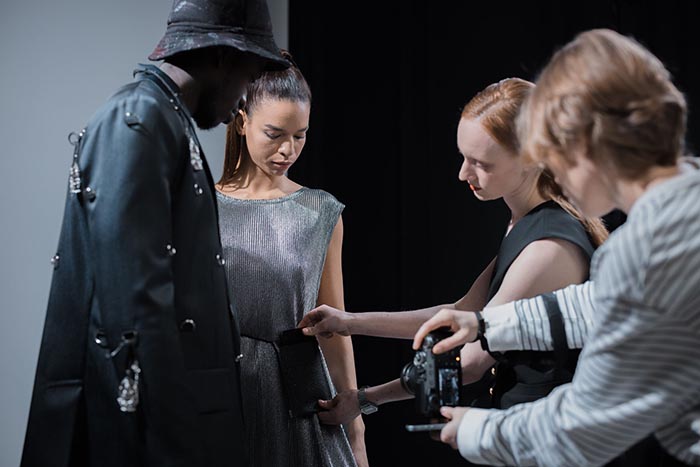
Photoroom is the only tool on this shortlist with a contractual Enterprise Fidelity Guarantee. If AI alters colors, logos, or textures beyond pre-agreed tolerances, the generation fee is refunded. That promise reassures legal and returns teams when tens of thousands of SKUs are on the line.
Pricing snapshot (September 15 2026)
- Free: background removal, 50 exports per month
- Pro: US $12.99 per month, 250 exports per month
- Max: US $34.99 per month, 3 000 exports per month plus Batch tools
- Enterprise: custom; includes Fidelity Guarantee, API, SOC 2, SLA
Best for
Fashion and food brands moving hundreds of SKUs a day, and resale marketplaces that need uniform imagery fast.
Caveats
Generative edits run on Photoroom’s cloud, and large Batch exports count against monthly limits one image at a time. Creative choices such as background tone or crop are not covered by the Fidelity Guarantee—only factual product accuracy.
Conclusion
Each of these nine apps excels at a specific stage of the photographic workflow—from culling and color grading to sky replacement and high-volume retouching. Pick the right tool for the job, and you’ll spend less time behind a monitor and more time behind the camera.